Actions
Enable your agent to take action with tools for collecting information, creating tickets, scheduling appointments, and more.
Actions are tools that enable your agent to take action beyond just answering questions. They allow your agent to collect information, create tickets, schedule appointments, process orders, send emails, search the web, and more.
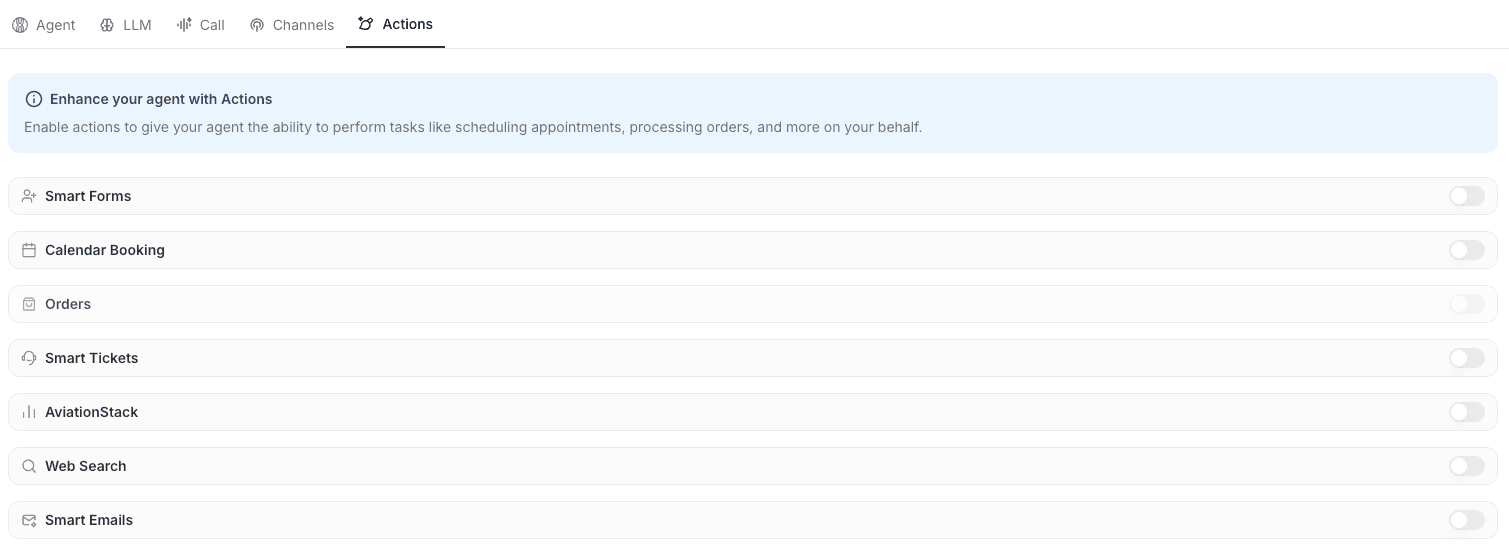
How Actions Work
Step 1: Enable Products in Integrations Before actions are available for your agents, you need to first enable the product that contains the actions in the Integrations section of your dashboard. Each product provides specific actions that your agent can use.
Step 2: Configure Actions Once enabled, configure each action with settings such as:
- Prompts that guide when your agent should use the action
- Admin emails to receive notifications
- Action-specific settings and rules
Step 3: Assign to Agents After configuration, assign actions to your agents through the agent configuration page. Your agent will then be able to use these actions during conversations with customers.
Web Search
Web Search allows your agent to find real-time information from the internet when your knowledge base doesn't contain the answer.
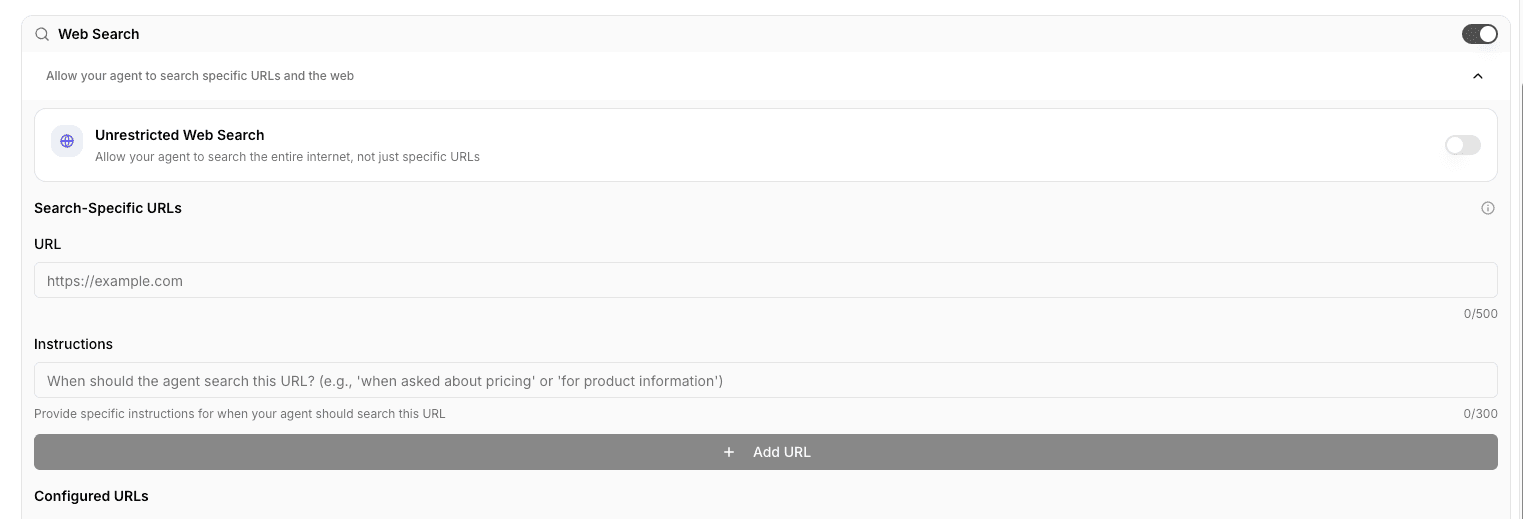
Web Search has two modes:
Unrestricted Mode Searches the entire web for information. Use this when your agent needs access to general information available online.
Specific Mode Searches only specific URLs that you configure. This is ideal for agents that need real-time information such as:
- Pricing data
- Events calendars
- Dynamic content that changes frequently
Best Practice: We recommend having an llm.txt page on your website that agents can access. This helps agents find information faster and provides better structured data for your agent to use.
Smart Emails
Smart Emails allows your agent to send custom emails to users when appropriate.
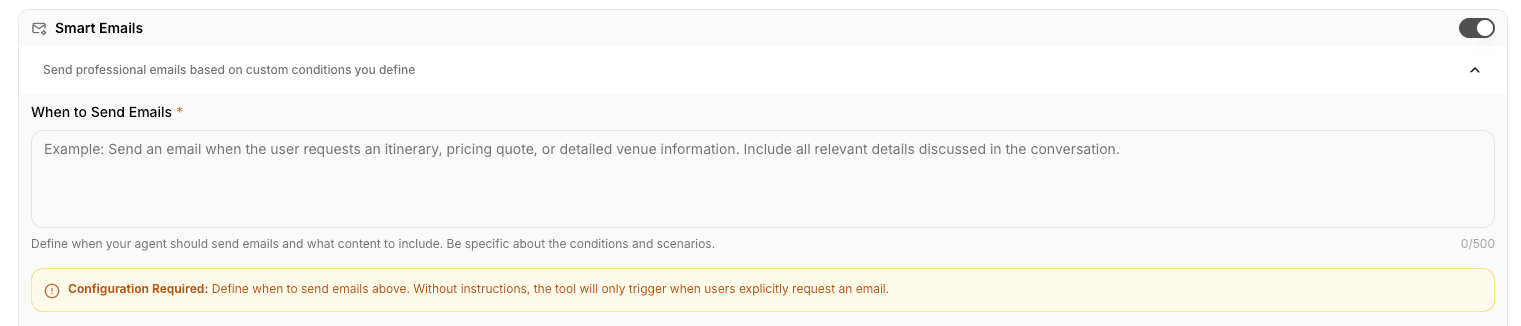
Configure when your agent has access to send emails. For example, when a user asks for a quote, your agent can explain how to get a quote, then use Smart Emails to create and send a custom email to the user with the quote information.
Configure email settings including:
- When emails should be sent
- Email templates and formatting
- Notification preferences
Other Actions
The following actions have their own dedicated documentation pages with detailed configuration guides:
- Smart Forms - Collect structured information through conversational interactions
- Smart Tickets - Create support tickets for human escalation
- Calendar - Check availability and book appointments
- Orders - Process product orders and payments
- AviationStack - Access real-time aviation data
Each of these actions has specific configuration requirements and use cases. Visit their respective pages for detailed setup instructions.
Next Steps
Learn more about configuring specific actions in their dedicated product pages, or explore integrations like AviationStack, Meta, WhatsApp, and Stripe to enable additional products and actions.