Account Management
Manage your account settings and profile information.
Manage your account settings and profile information. Go to the Settings page to customize your personal information, business details, and branding.
Note: Account settings are personal to you and apply across all workspaces. For workspace-specific settings like team members, billing, and workspace name, see Workspaces.
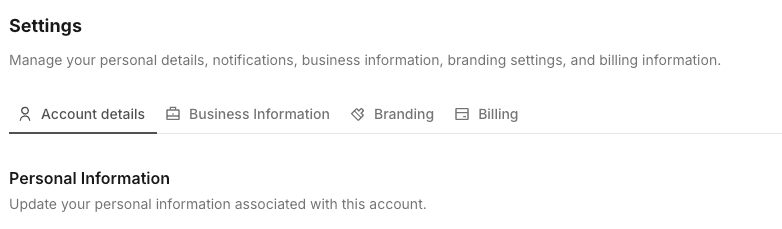
Account Settings
Personal Information In Settings, you can customize your personal information:
- Update your name
- Add or update profile picture
- Note: Email cannot be changed as Link AI uses third-party login only
Business Information Configure your business details:
- Company name
- Business website
- Industry
- Company size
- Timezone
This information helps customize your experience and may be used in agent configurations.
Branding Workspace look and voice live in the brand kit: logo, colors, fonts, assets, voice, and email sender details. Ally uses that kit for Pages, Ally Docs, emails, and carousels.
Account Deletion
Delete Account Permanently delete your account:
- Go to Account > Settings
- Click "Delete Account"
- Read warnings carefully
- Confirm deletion
- Account and all data are permanently deleted
Warning: Account deletion is permanent and cannot be undone. Export any data you need before deleting your account.
Troubleshooting
Can't Access Account
- Verify you're using the correct third-party login method
- Check that your account isn't suspended
- Contact support for assistance
Settings Not Saving
- Check internet connection
- Refresh page and try again
- Clear browser cache
- Try different browser
- Contact support if persists
Next Steps
Learn about Branding for the workspace brand kit, Workspaces to organize your projects and teams, Billing & Limits to understand your subscription and usage, or explore Analytics to see how your agents are performing.