Meta (Messenger & Instagram)
Connect to Meta's ecosystem to automate conversations on Facebook Messenger and Instagram Direct Messages.
Connect your AI agent to Meta's ecosystem to automate conversations on Facebook Messenger and Instagram Direct Messages. This integration allows your agent to respond to customer inquiries, handle story mentions, and manage comments automatically across Meta's platforms.
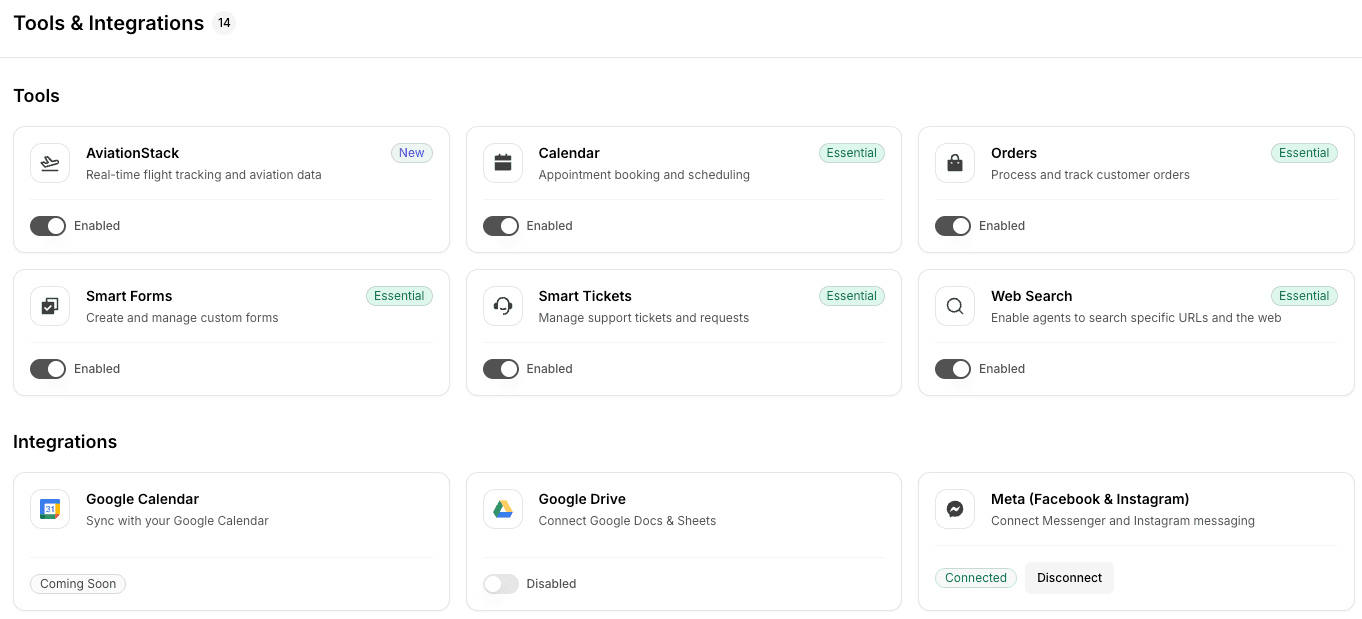
Connection Flow
Connecting your Meta account is a straightforward process that integrates your Facebook Pages and Instagram Business accounts with Link AI.
Step 1: Initiate Connection
- Navigate to the Integrations page in your Link AI dashboard.
- Find the Meta integration and click "Connect Meta".
- A Meta OAuth popup will appear, requesting you to log in to your Facebook account.
Step 2: Grant Permissions
- Log in to the Facebook account that manages your Pages and Instagram Business accounts.
- Review and accept the requested permissions. These permissions allow Link AI to:
- View your list of Facebook Pages.
- Manage and access conversations on your Pages and Instagram accounts.
- Access basic business information.
- Ensure all relevant Pages and Instagram accounts are selected during this process.
Step 3: Complete Integration
- Once permissions are granted, the popup will close.
- Your connected Facebook Pages and Instagram Business accounts will now appear in the Link AI dashboard under the Meta integration section.
Note: Integrations are workspace-scoped. Each integration is connected to a specific workspace. If you have multiple workspaces, you'll need to connect Meta separately for each workspace. Learn more about Workspaces.
Enabling for Your Agent
After connecting your Meta account, you must enable specific channels for each agent you want to automate.
Step 1: Assign to Agent
- Go to the configuration settings for the agent you wish to use.
- Navigate to the "Channels" tab.
- Locate the Facebook Messenger and Instagram sections.
Step 2: Select Account
- From the dropdown menu, select the Facebook Page or Instagram Business account you want this agent to manage.
- Toggle the "Enabled" switch to activate the channel.
- Save your changes.
Step 3: Verify Setup
- Send a test message to your Facebook Page or Instagram account.
- Verify that your AI agent responds within 30 seconds.
- Check your Link AI inbox to see the conversation history across these channels.
Key Features
- Automated DM Responses: Your agent handles incoming direct messages automatically, providing instant support 24/7.
- Story Mention Handling: Automatically respond when customers mention your brand in their Instagram stories.
- Comment Management: Configure your agent to respond to comments on your Facebook and Instagram posts.
- Unified Inbox: View and manage all conversations from Messenger and Instagram in a single, unified view.
- Rich Media Support: Your agent can receive and send images and documents to provide a richer customer experience. With Agent Vision enabled, your agent can process and understand images sent by users, enabling use cases like refund evidence (damaged product photos), product identification, and visual context for accurate responses.
Best Practices
- Use a Dedicated Test Page: Before going live, test your agent on a dedicated Facebook Page and Instagram account to refine responses.
- Clear System Prompt: Ensure your agent's system prompt clearly defines how it should represent your brand on social media.
- Monitor Escalations: Set up Smart Tickets for issues that require human intervention on social channels.
- Consistent Voice: Maintain the same brand voice across all Meta channels to provide a cohesive experience.
Troubleshooting
- Messages Not Received: Verify that webhooks are correctly configured in your Meta Developer Dashboard and that the "Enabled" toggle is active for your agent.
- Connection Expired: If Link AI loses access, simply reconnect your Meta account through the Integrations page to refresh permissions.
- Account Not Appearing: Ensure you have admin access to the Facebook Page and that the Instagram account is a Business account linked to that Page.