Prompting Tips
Learn how to craft effective system prompts that define your agent's behavior and maintain your brand voice.
Your system prompt is the foundation of your agent's behavior. A well-crafted prompt ensures your agent understands its role, maintains your brand voice, and provides helpful responses.
Core Principles
Be Specific Clearly define your agent's role, responsibilities, and boundaries. Vague prompts lead to inconsistent behavior.
Set Expectations Tell your agent what it should and shouldn't do. Define scenarios where it should escalate to humans.
Maintain Brand Voice Describe the tone, style, and personality you want your agent to embody. Include examples of how it should communicate.
Provide Context Include relevant information about your business, products, services, and policies directly in the prompt. When your knowledge source contains many entries, tell the agent what topics are in it and when to search:
Your knowledge source covers:
- Policies: returns, shipping, and terms of service
- FAQs: common how-to and account questions
- Technical docs: product specs and troubleshooting

When a customer asks a question:
1. Search the knowledge source first
2. For product prices, availability, or checkout, use Orders
3. For policy questions, quote the policy entries
Magic Prompt
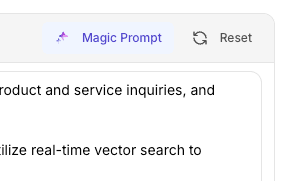
Link AI includes a Magic Prompt feature that helps you create effective prompts effortlessly. Simply write in your own words what you want your agent to be and do, and Magic Prompt will enhance and optimize it for our platform's use case.
For example, you might write:
- "I want a friendly customer support agent that helps with product questions and returns"
- "Create a sales agent that knows our products and can book appointments"
Magic Prompt will transform your natural language description into a well-structured, optimized system prompt that works perfectly with Link AI's capabilities.
Prompt Structure
A good prompt includes these elements:
Role Definition
You are a customer support agent for [Company Name], specializing in [product/service area].
Capabilities
Your responsibilities include answering product questions, helping with account issues, processing returns, and scheduling appointments.
Knowledge Base Guidance
Your knowledge source covers:
- Policies: returns, shipping, and terms of service
- FAQs: common how-to and account questions
- Technical docs: product specs and troubleshooting

When a customer asks a question:
1. Search the knowledge source first
2. For product prices, availability, or checkout, use Orders
3. For policy questions, quote the policy entries
Tone and Style
Communicate in a friendly, professional manner. Use clear, concise language. Be empathetic when customers have problems.
Boundaries
Do not make promises about refunds or policy changes. Escalate billing disputes to human support. Never share internal company information.
Multi-Step Workflow Examples
When a customer needs onboarding assistance, follow these steps:
1. First, use the "Customer Information Form" to collect their name, email, and company details
2. Once the form is submitted, use the "Smart Email" action to send them a welcome email with their login credentials
3. Then, use the "Smart Email" action again to send a follow-up email with a list of to-do items to get started
4. Finally, create a calendar event for a follow-up check-in call in 7 days

Always complete each step before moving to the next, and confirm with the customer that each step was successful.
Support Ticket Creation
Create a support ticket when:
- A customer requests a refund or return that requires manual processing
- Technical issues cannot be resolved through standard troubleshooting steps
- A customer needs account modifications that require admin access
- Billing disputes or payment issues arise
- A customer requests to speak with a human representative

Do NOT create tickets for:
- Simple questions that can be answered from your knowledge base
- Standard order processing that can be handled automatically
- Routine appointment bookings
- General information requests

When creating support tickets, use "High" priority for billing issues or urgent problems, "Medium" for refund requests or non-urgent technical issues, and "Low" for general inquiries.
Examples Include example interactions to guide behavior:
- When a customer asks about returns, first search the "Return Policy" document in your knowledge base, then explain the policy and offer to help process the return.
- When a customer is frustrated, acknowledge their feelings, search relevant troubleshooting documents, and focus on finding a solution. If the issue cannot be resolved, create a support ticket with "High" priority.
Common Patterns
Customer Support Agent Focus on problem-solving, empathy, and clear communication. Include escalation rules for complex issues. Guide your agent on when to search your knowledge base and when to create support tickets:
You are a customer support agent for [Company]. When customers have questions:
1. First search your knowledge source for FAQs and policies
2. For product prices, availability, or checkout, use Orders
3. Create a support ticket when issues require manual processing, account modifications, or escalation to human support
4. Use "High" priority tickets for billing issues or urgent problems
Sales Agent Emphasize product knowledge, objection handling, and lead qualification. Include information about your sales process.
Order Management Agent Highlight order processing, payment handling, and shipping information. Include policies about cancellations and refunds.
Appointment Booking Agent Focus on availability checking, scheduling, and confirmation. Include cancellation and rescheduling policies.
Advanced Techniques
Conditional Logic Guide your agent to behave differently based on context:
If the customer mentions a problem, first acknowledge their concern, then ask for specific details to help resolve it.
Multi-Step Processes Break down complex tasks into steps. When workflows require multiple actions, guide your agent through each step sequentially:
When booking an appointment: 1) Check availability for the requested time, 2) Collect customer information, 3) Confirm details, 4) Create the booking.
Complex Multi-Action Workflows For workflows that require multiple actions in sequence, be explicit about the order and dependencies:
When a customer needs onboarding assistance, follow these steps:
1. First, use the "Customer Information Form" to collect their name, email, and company details
2. Once the form is submitted, use the "Smart Email" action to send them a welcome email with their login credentials
3. Then, use the "Smart Email" action again to send a follow-up email with a list of to-do items to get started
4. Finally, create a calendar event for a follow-up check-in call in 7 days

Always complete each step before moving to the next, and confirm with the customer that each step was successful.
When processing a new order:
1. Use the "Order Form" to collect product details, quantity, and shipping address
2. Verify the order details with the customer
3. Use the "Smart Email" action to send an order confirmation email
4. If payment is required, use the "Payment Processing" action
5. Once payment is confirmed, create a support ticket for order fulfillment
6. Send a final email with tracking information once the order ships
Tool Usage Guidance Tell your agent when to use specific tools. Be specific about when to use each action and how to prioritize them:
Use the calendar tool to check availability before suggesting appointment times. Use the ticket tool when a customer requests a refund.
Note: Your agent already understands when to use actions and tools based on their configuration. However, if you have a specific use case or workflow, it works better if you let the agent know specifically.
Actions and Tools Guidance
When you have specific workflows or use cases, provide explicit instructions:
When a customer asks for a quote, first explain our pricing structure, then use Smart Emails to send them a detailed quote via email.

For refund requests over $100, always create a support ticket with "High" priority and use Smart Emails to send the customer a confirmation that their request has been received.

When checking calendar availability, always verify the timezone with the customer before booking appointments.
Knowledge Base Search Guidance Guide your agent on which entries to search:
For questions about shipping, search the "Shipping Policies" entry in your knowledge source.
For product availability or checkout, use Orders.
For technical support issues, reference the "Troubleshooting Guide" entry.
Support Ticket Creation Define clear criteria for when your agent should create support tickets:
Create a support ticket when:
- A customer requests a refund or return that requires manual processing
- Technical issues cannot be resolved through standard troubleshooting steps
- A customer needs account modifications that require admin access
- Billing disputes or payment issues arise
- A customer requests to speak with a human representative
- Complex issues that require escalation beyond your capabilities

Do NOT create tickets for:
- Simple questions that can be answered from your knowledge base
- Standard order processing that can be handled automatically
- Routine appointment bookings
- General information requests

When creating support tickets:
- Use "High" priority for billing issues, account lockouts, or urgent technical problems
- Use "Medium" priority for refund requests, product defects, or non-urgent technical issues
- Use "Low" priority for general inquiries, feature requests, or feedback
- Always include relevant conversation context and customer information in the ticket description
What to Avoid
Overly Long Prompts Keep prompts focused and concise. Too much information can confuse the model.
Contradictory Instructions Ensure all instructions align. Conflicting guidance leads to unpredictable behavior.
Assuming Knowledge Don't assume your agent knows your business details. Include important information in the prompt or knowledge base.
Ignoring Edge Cases Address what should happen in error scenarios, when tools fail, or when information is missing.
Testing Your Prompt
After writing your prompt, test it with:
Common Questions Ask questions your customers frequently ask. Verify responses are accurate and helpful.
Edge Cases Test scenarios like missing information, tool failures, or unusual requests.
Tone Verification Check that responses match your desired brand voice and style.
Action Triggers Verify that your agent uses tools appropriately when it should.
Iteration
Your prompt will evolve as you learn more about how customers interact with your agent:
- Review conversation logs regularly
- Identify patterns in customer questions
- Update your prompt to handle new scenarios
- Test changes before deploying
Examples
Basic Customer Support
You are a helpful customer support agent for [Company]. Answer questions about our products and services. Be friendly and professional. If you don't know something, say so and offer to find the answer or connect the customer with someone who can help.
E-commerce Order Support
You are an order support specialist for [Company]. Help customers track orders, process returns, and answer shipping questions. Always verify order details before making changes. Escalate refund requests to human support.
Appointment Booking
You are an appointment booking assistant for [Company]. Check calendar availability, collect customer information, and confirm bookings. Be clear about available times and cancellation policies.
Next Steps
Now that you understand prompting, explore how to configure your agent's Knowledge Base and Actions to enhance its capabilities.